Documentation Creator
Create documentation from any workflow
Click through your process once and Loopyback writes the how-to guide — screenshots, steps and descriptions included.
Loopyback is a documentation creator built for people who would rather do the work than write about it. Instead of juggling a screen capture tool, an image editor and a text document, you click through your process once and Loopyback turns that recording into finished process documentation, complete with ordered steps, annotated screenshots and clear written instructions.
Good how-to guides tend to go stale the moment a button moves or a screen changes, because updating them by hand is tedious. Loopyback keeps that effort low: recapture the flow or edit individual steps and your screenshots refresh, so your process documentation stays accurate instead of drifting out of date. Every step stays editable, so you keep control of the wording, the order and what each screenshot shows.
From onboarding checklists to detailed software walkthroughs, the same screen capture workflow scales across your whole team. Anyone who can click through a task can produce professional how-to guides, without design skills or a template library, and share them as a link or export them to PDF, HTML or Markdown.
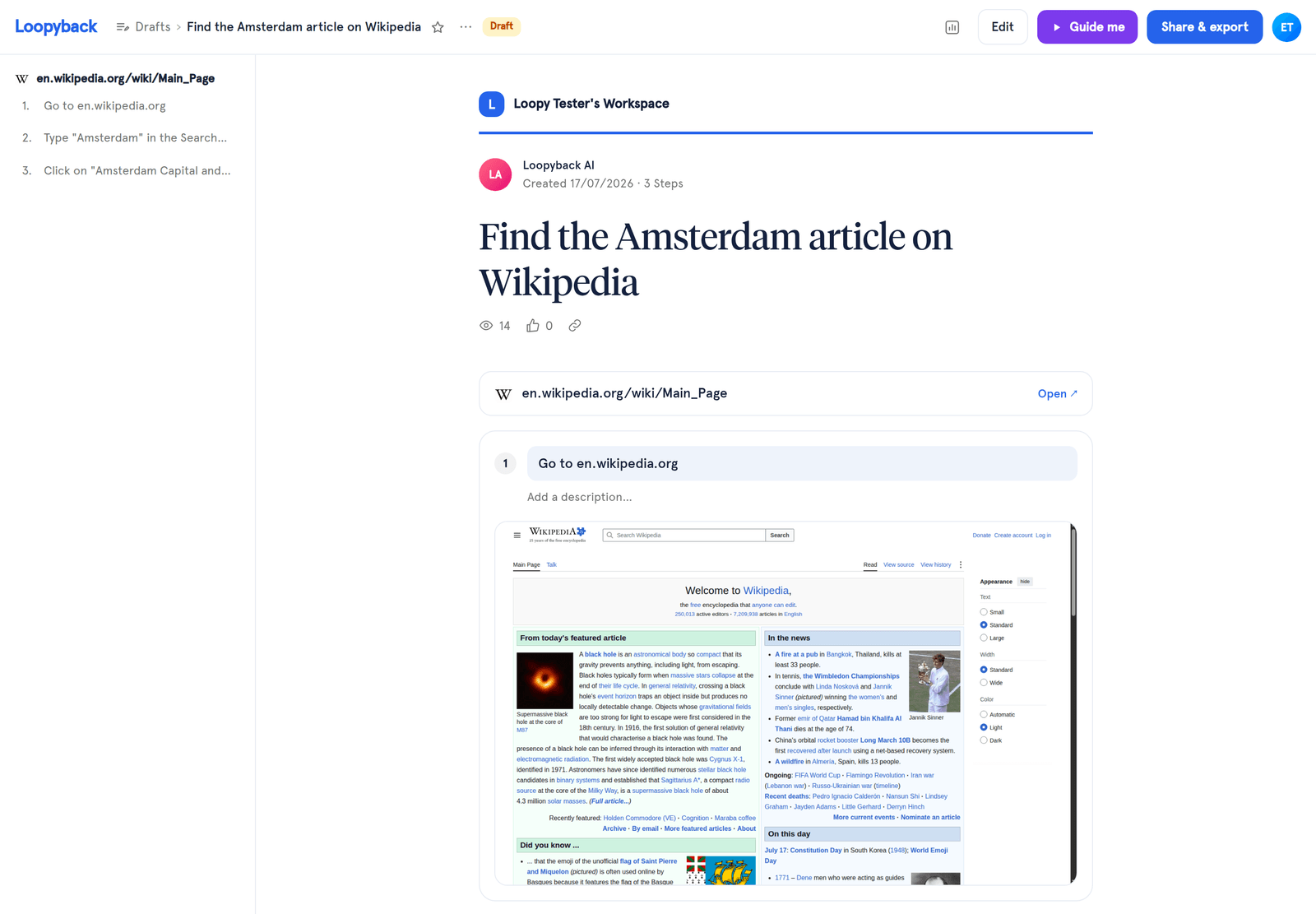
Your finished how-to guide, generated from a single screen capture.
How it works
Record your process
Install the Loopyback browser extension, hit record and complete your task as you normally would. Loopyback captures each click, keystroke and screen as a separate step.
Let Loopyback build the draft
The moment you stop recording, Loopyback assembles a first draft: ordered steps, auto-zoomed screenshots and a written description for every action.
Edit and redact
Refine the step text, reorder or delete steps, add arrows and callouts, and let automatic PII redaction blur any sensitive data before you publish.
Export and share
Publish to a shareable link or export to PDF, HTML or Markdown, ready to drop into your wiki, help center or handbook.
Use cases
Employee onboarding
Turn the tasks every new hire needs into a library of how-to guides. New team members follow the exact clicks instead of shadowing a colleague, so onboarding is faster and more consistent.
IT support & helpdesk
Document recurring fixes and setup procedures once, then send a link the next time the same ticket comes in. Screen capture makes each solution unambiguous and cuts down the back-and-forth.
Customer onboarding
Show customers exactly how to set up and use your product with branded how-to guides. Share a link during onboarding calls or embed the documentation in your help center.
Features
Click-by-click capture
Loopyback records every click and keystroke as you move through your process, turning actions into ordered steps automatically.
Auto-zoomed screenshots
Each step gets a crisp screenshot, automatically zoomed and highlighted on the element you interacted with.
Editable steps & annotations
Rewrite step text, reorder, blur, crop and annotate screenshots with arrows and callouts to make every guide clear.
Automatic PII redaction
Sensitive data like emails, names and account numbers are detected and blurred automatically before you share.
Export to PDF/HTML/Markdown
Download polished documentation in the format your team needs, ready to drop into wikis, help centers or handbooks.
Share with a link
Publish any guide to a shareable link so teammates and customers can follow along without installing anything.
Frequently asked questions
What is a documentation creator?
A documentation creator is a tool that turns a process into written, step-by-step instructions. Loopyback records your screen capture as you work, then generates process documentation with ordered steps, screenshots and descriptions, so you do not have to write and format everything by hand.
Do I need design or writing skills to create how-to guides?
No. Loopyback drafts the steps and screenshots for you, so anyone who can complete the task can create a polished guide. You simply review the wording, tidy up the screenshots and publish.
Can I keep my documentation up to date?
Yes. Because Loopyback captures each step as you go, updating a guide is as simple as recapturing the flow or editing individual steps, which keeps your process documentation accurate when screens or steps change.