SOP Creator
Turn processes into perfect SOPs
Standardize how your team works. Capture a process and get a polished, repeatable standard operating procedure.
Loopyback is an SOP creator that turns the way you already do a task into a clean standard operating procedure. Instead of starting from a blank SOP template and describing every click from memory, you run through the process once and Loopyback captures each step with a screenshot and a written instruction, so your standard operating procedure reflects exactly how the work is really done.
A standard operating procedure only helps if people can find it, trust it and read it. Loopyback keeps every SOP in a searchable team library with version history, so the current procedure is always the one your team sees, and older versions stay available when you need to look back. Because each SOP follows the same numbered structure, your workflow documentation stays consistent whether it covers a two-minute task or a multi-department handover.
When your team spans regions or departments, one SOP template rarely fits everyone. Loopyback lets you brand each procedure and translate it into the languages your team speaks, so the same source process becomes clear workflow documentation for everyone who has to follow it, from the warehouse floor to the finance office.
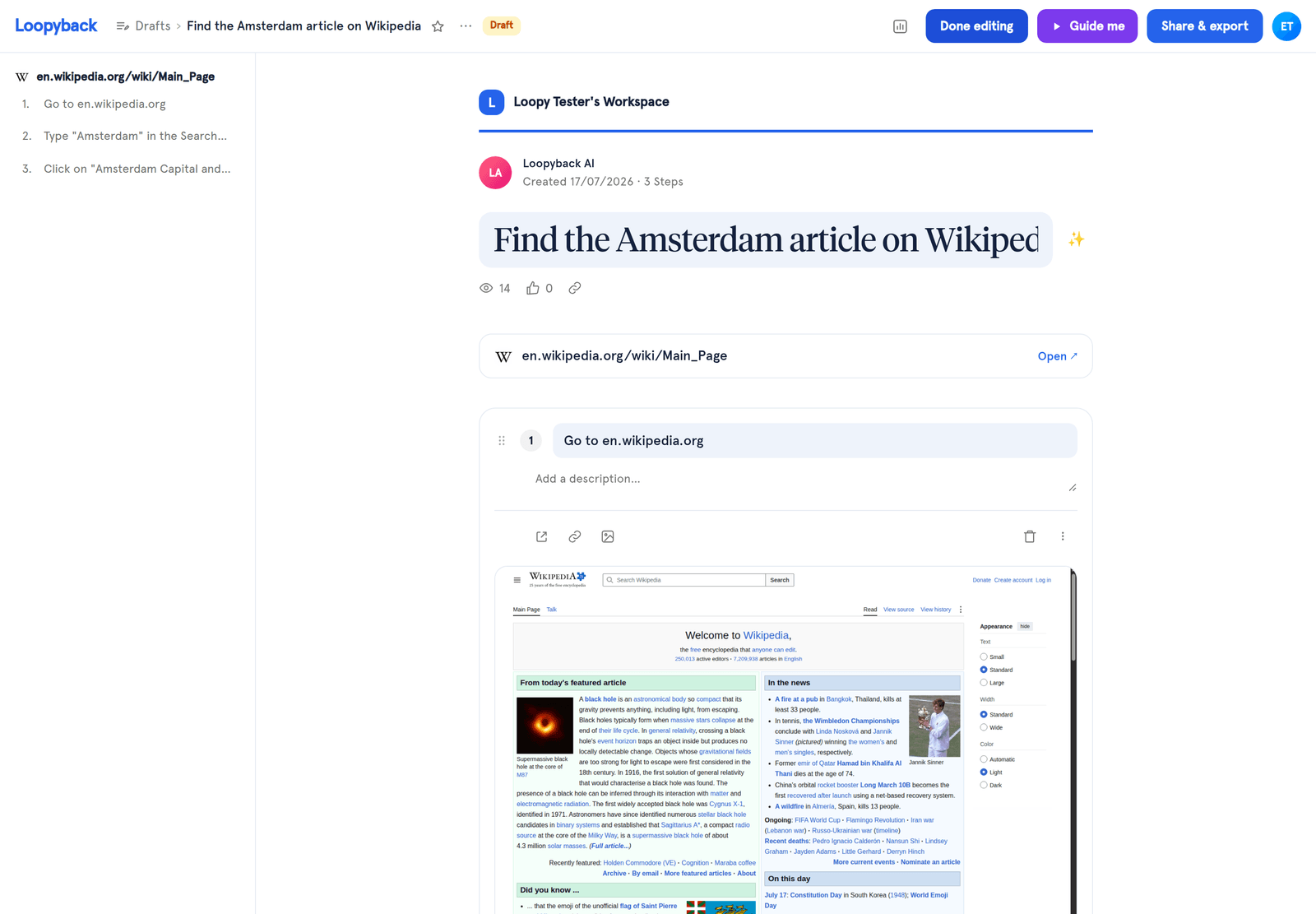
A branded standard operating procedure, generated from one capture.
How it works
Capture the process
Install the Loopyback browser extension, start recording and run through the task once. Every click and screen becomes a numbered step in your SOP.
Apply your SOP template
Loopyback drafts a standardized step-by-step SOP and applies your company branding, so each procedure looks consistent and on-brand out of the box.
Refine, translate and version
Edit the wording, translate the SOP into other languages and save a version, so you always have a clear history of how the procedure changed.
Publish to your library
Organize the SOP into folders in your team library and share it, then track who has viewed and completed each procedure.
Use cases
Employee onboarding
Give every new hire a consistent set of SOPs for the tasks they need on day one. Standard operating procedures mean people learn the approved way to do the work, not whichever version a colleague happened to remember.
IT & operations
Document recurring procedures like access requests, deployments and system checks as versioned SOPs. When something changes, you update one procedure and everyone works from the same instructions.
Compliance & quality
Keep audited workflow documentation with a clear version history and completion tracking, so you can show that procedures exist, are current and are actually being followed.
Features
Standardized step-by-step format
Every SOP follows the same clean, numbered structure so procedures are consistent and easy to follow across your organization.
Company branding
Add your logo, colors and fonts so every SOP looks polished and on-brand, ready to share internally or with clients.
Version history
Track every change to a procedure over time and roll back to any previous version whenever you need to.
Multi-language SOPs
Translate procedures into the languages your team speaks so everyone works from the same instructions, everywhere.
Team library & folders
Organize every SOP into folders and a searchable library so the right procedure is always one click away.
Viewership & completion insights
See who has viewed and completed each SOP so you know your team is trained and procedures are actually being followed.
Frequently asked questions
What is an SOP creator?
An SOP creator is a tool for building standard operating procedures without starting from a blank SOP template. Loopyback captures a process as you perform it and turns it into a numbered, step-by-step SOP with screenshots, so your workflow documentation matches how the task is really done.
Do I need an SOP template to get started?
No. Loopyback applies a standardized step-by-step format automatically, so every standard operating procedure has the same clean structure. You can add your branding and adjust the wording, but you do not need to design a template first.
Can I keep SOPs consistent across a multi-language team?
Yes. Loopyback lets you translate each SOP into the languages your team speaks and keeps a version history, so everyone follows the same current procedure and your workflow documentation stays consistent across regions.